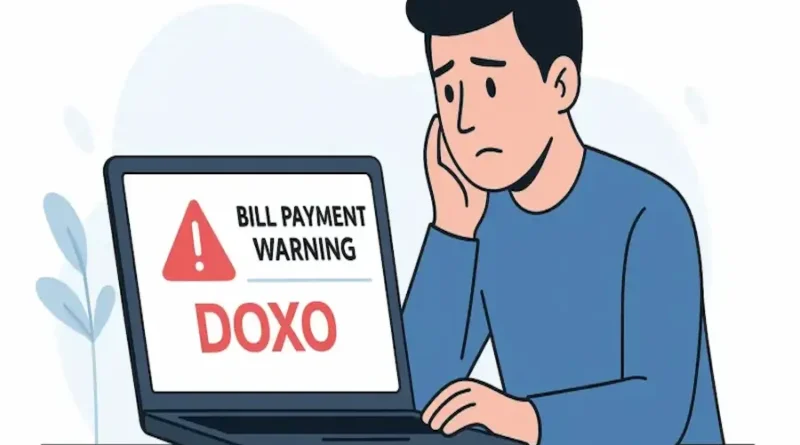
Doxo Warning: What You Need to Know Before Paying Bills Online
Doxo Warning: Here’s the truth paying bills online should be simple. The easiest way to keep it that way is to always pay through your provider’s official website or app. It’s free, fast and reliable. I learned this lesson the hard way when I tried using a third party service and almost got slapped with a late fee. That experience is exactly why I’m sharing this article with you.
What Is Doxo Warning?
Doxo is an outside bill payment service that promises convenience by letting you handle different bills in one place. On paper, It sounds handy. I thought the same when I first saw it.
But here’s the catch: most companies are not directly connected to Doxo. That means when you pay the money doesn’t land with your provider right away. For a lot of people, This delay is where the real problems begin and why companies post those Doxo warnings on their websites.
Why Companies Warn About Doxo Warning
Have you ever seen a message on your water, phone or internet company’s website that says: “We are not affiliated with Doxo”? They don’t write that for fun.
Providers post these warnings because customers often think they paid on time but the provider doesn’t see the payment until days later. Naturally, The customer blames the company, When the delay actually came from Doxo. To save everyone the headache, businesses make it clear: avoid Doxo and use official channels instead.
How Doxo Payments Actually Work
Here’s what happens when you use Doxo Warning:
- You make the payment on Doxo’s site.
- Doxo takes the money and processes it.
- Then,They forward it to your provider.
That middle step is where delays creep in. If your provider isn’t directly connected to Doxo, the money might not show up for several days. Compare that with paying on your provider’s site, where payments usually post instantly and you see why warnings exist.
The Problems People Run Into
Here’s what usually goes wrong with Doxo:
- Late Payments – You pay on time but your provider doesn’t mark it as received until days later.
- Extra Fees – Depending on the payment method, Doxo Warning may tack on charges (especially with credit cards).
- Customer Support Hassles – If something goes wrong your provider can’t help because they don’t see the payment yet. You end up chasing Doxo for answers.
I tested it once myself and my bill still showed unpaid even though I paid early. That was enough for me to stop using it.
Why Doxo Feels Misleading
Here’s what really frustrates people: how Doxo Warning shows up in Google searches. If you type “pay electric bill online” there’s a good chance you’ll see Doxo ranked above your actual provider.
At first glance,It looks official. Many people, myself included, click without thinking twice. Only later do you realize it’s not your provider’s site and by then, your payment is stuck in limbo.
Safety Concerns With Doxo
To be fair, Doxo Warningdoes use security technology to protect your information. But safety isn’t only about encryption it’s about trust and reliability.
The bigger risks are delays, hidden fees and lack of support. And if your payment goes missing, your provider can’t do anything until the money finally shows up. That leaves you waiting, stressed and frustrated.
Doxo vs. Official Payment Options
Here’s a quick breakdown:
| Feature | Provider Website/App | Bank Auto-Pay | Doxo Warning |
| Speed | Instant | Same day | Can take days |
| Cost | Free | Free | May add fees |
| Security | Direct & official | Bank level secure | Outside service |
| Support | Direct provider | Bank + provider | Limited |
| Reliability | Very high | Very high | Inconsistent |
For me, It’s a no brainer, official sites or bank auto pay win every time.
Real Stories From Customers
Check review sites and you’ll see the same complaints again and again:
- People paying through Doxo and waiting nearly a week for the payment to post.
- Customers were shocked at extra charges they didn’t expect.
I’ve been there too. When my provider didn’t mark my bill as paid until two days after the due date, I realized convenience wasn’t worth the risk.
How Businesses Are Affected
It’s not just customers who pay the price. Companies get flooded with calls from people who think their payments are missing. To stop the confusion many providers put bold warnings on their sites.
It all comes down to trust if payments are late, most people blame the provider even though the problem started elsewhere.
What Experts and Regulators Say
Consumer experts have been clear: don’t use outside bill payment services unless your provider lists them as partners. And in 2024, The FTC (Federal Trade Commission) even filed a complaint against Doxo Warning, accusing it of misleading people with hidden fees and design tricks that made it look more official than it was.
That sealed it for me if regulators are raising red flags, it’s not worth the gamble.
Better Alternatives I Recommend
Here’s what I stick to now:
- Provider Website or App – Free, secure and payments show up instantly.
- Bank Auto-Pay – Perfect for recurring bills. No late fees, no stress.
- Digital Wallets – Some providers accept Apple Pay or Google Pay. Fast and reliable.
The best part? None of these options sneak in extra fees.
My Tips for Safer Online Bill Payments
Here are the habits that keep me worry free:
- Always type your provider’s site directly instead of clicking search results.
- Look for the padlock symbol in the address bar before paying.
- Using a credit card gives you extra protection if something goes wrong.
- Set reminders or automatic payments so you never miss a due date.
FAQs
Q1: Is Doxo safe?
Ans: Your details are protected but delays and fees make it less safe than paying directly.
Q2: Why do companies warn against it?
Ans: Because payments through Doxo Warning can be late or cost more.
Q3: Does Doxo always charge fees?
Ans: Not always. Some payments are free but many add charges, especially credit card payments.
Q4: Has Doxo faced legal issues?
Ans: Yes. In 2024, The FTC filed a complaint accusing Doxo of misleading practices and hidden fees.
Q5: What’s better than Doxo?
Ans: Your provider’s website or app, bank auto pay or trusted digital wallets like Apple Pay or Google Pay.
Conclusion
If you want my advice: use your provider’s site set up auto pay through your bank or pay with a trusted digital wallet. It’s faster, safer and gives you peace of mind.
Paying bills online should save time not cause stress. From my own experience, Doxo just isn’t worth it. The delays the fees, the confusion it’s all avoidable if you stick with official channels.
So the next time you see a Doxo warning on a company’s website take it seriously. It’s there to protect you.
Also Visit FineGLob for more quality informative content.